Back to all modules Definitions: common terms, defined Search the tool
Pulse Academy | GovCon Mastery Tool
SAM Registration: Review and Submit
SAM screens 88 to 92 of 92. One screen at a time: see it, learn it, practice it, then answer the screen check to mark the screen complete. Back and Next always work, so you can move in any order.
Screen 88: Review and Submit: Section intro
This is the final module. You will review your entity information and your representations and certifications, certify them, and submit the registration.
The intro carries the section's own warning, and it is the most serious one in the registration: false or incomplete information has legal consequences.
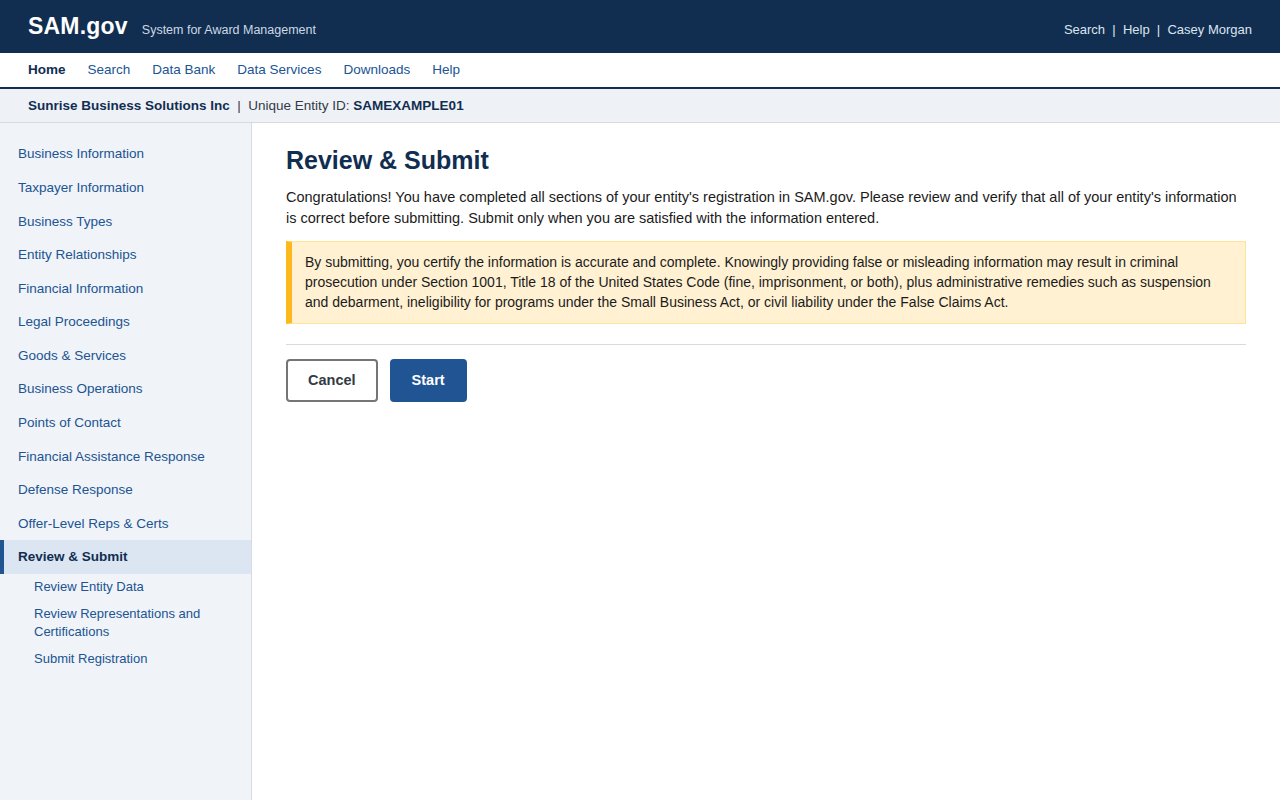
SAM.gov, Review and Submit intro page
Intro text for the final section, with the warning about consequences for false information.
When you do this step for real, this is the screen waiting for you on the site. Read it over, then use the practice screen below to learn the step by doing it safely first.
Practice the stakes. Check the box once you understand what submitting false information can bring.
Checkbox: check it when this is true
A quick check on this one screen. Answer every question correctly to mark this screen complete. You can move on with Next at any time, finished or not, but the screen only counts as complete once its practice and this check are both done. You can try again if you miss one.
Name the consequences this section warns about for false or incomplete information.
On the real final module, slow down. Everything from the last fourteen modules is about to become a certified federal record, and false statements carry criminal, civil, and debarment consequences.
Screen 89: Review Entity Data
This screen presents your complete entity data for a final review: every module's answers in one place.
Read it as an auditor would. Names, addresses, codes, banking, contacts, and answers, all checked against your source documents one last time.
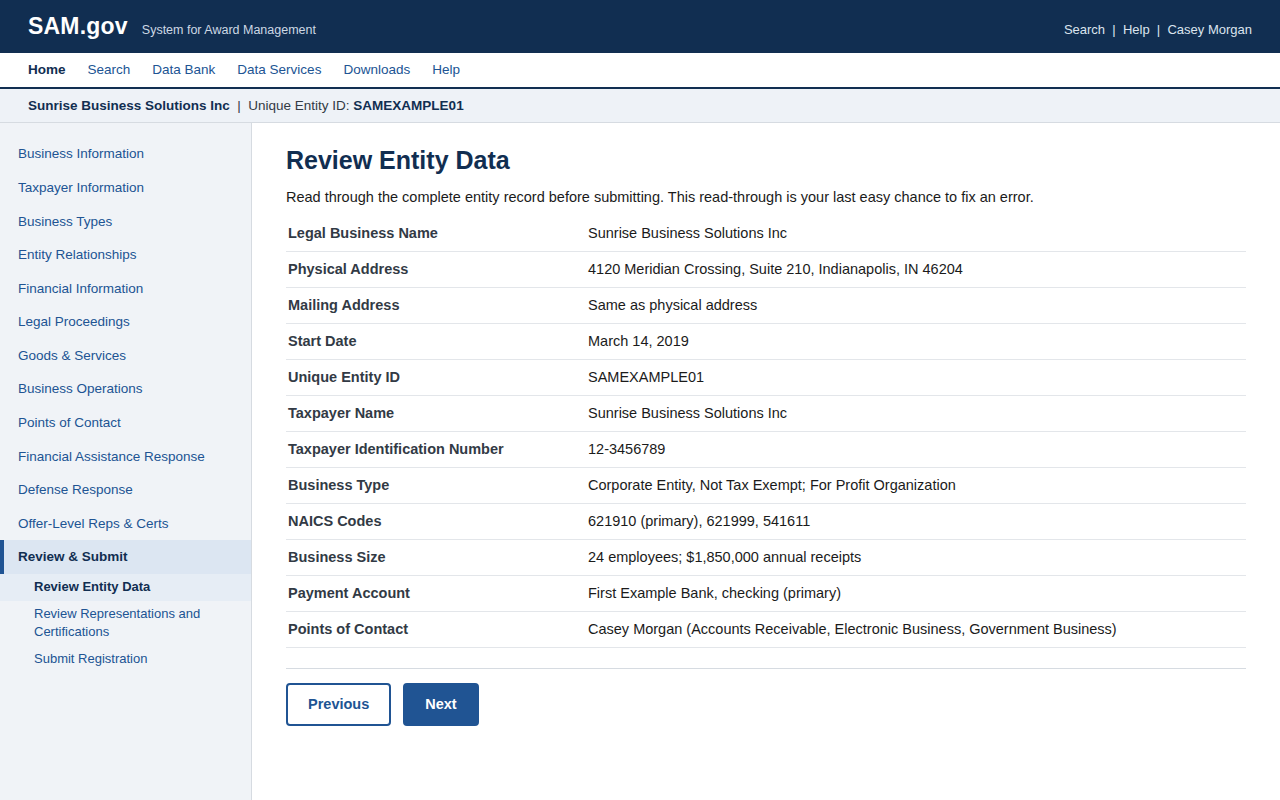
SAM.gov, Review Entity Data page
The full entity data summary with the registration's collected information, before the certification step.
When you do this step for real, this is the screen waiting for you on the site. Read it over, then use the practice screen below to learn the step by doing it safely first.
Practice the final review. Check each area after verifying it against the practice facts on the card.
Example company card: Sunrise Business Solutions Inc (all made up)
| Legal business name | Sunrise Business Solutions Inc |
| What it does | Ambulance services |
| Electronic Business POC | Jordan Lee, Operations Manager, jlee@example.com, (317) 555-0142 |
| Accounts Receivable POC | Taylor Brooks, Billing Manager |
| Government Business POC | Casey Morgan, President |
Check each area after verifying it
A quick check on this one screen. Answer every question correctly to mark this screen complete. You can move on with Next at any time, finished or not, but the screen only counts as complete once its practice and this check are both done. You can try again if you miss one.
After you submit, when can you change entity information again?
On the real review, read your complete entity data one last time. After submission you cannot change entity information while the registration is under review, so fix anything wrong now, while fixing is free.
Screen 90: Review Representations and Certifications
This screen presents your representations and certifications for a final read, organized in three groups: Read-Only Provisions, provisions Populated Based on Registration Data, and Entity-Level Representations and Certifications.
At the bottom sits the certification itself: one statement, one checkbox, by which you certify the representations are current, accurate, and complete.
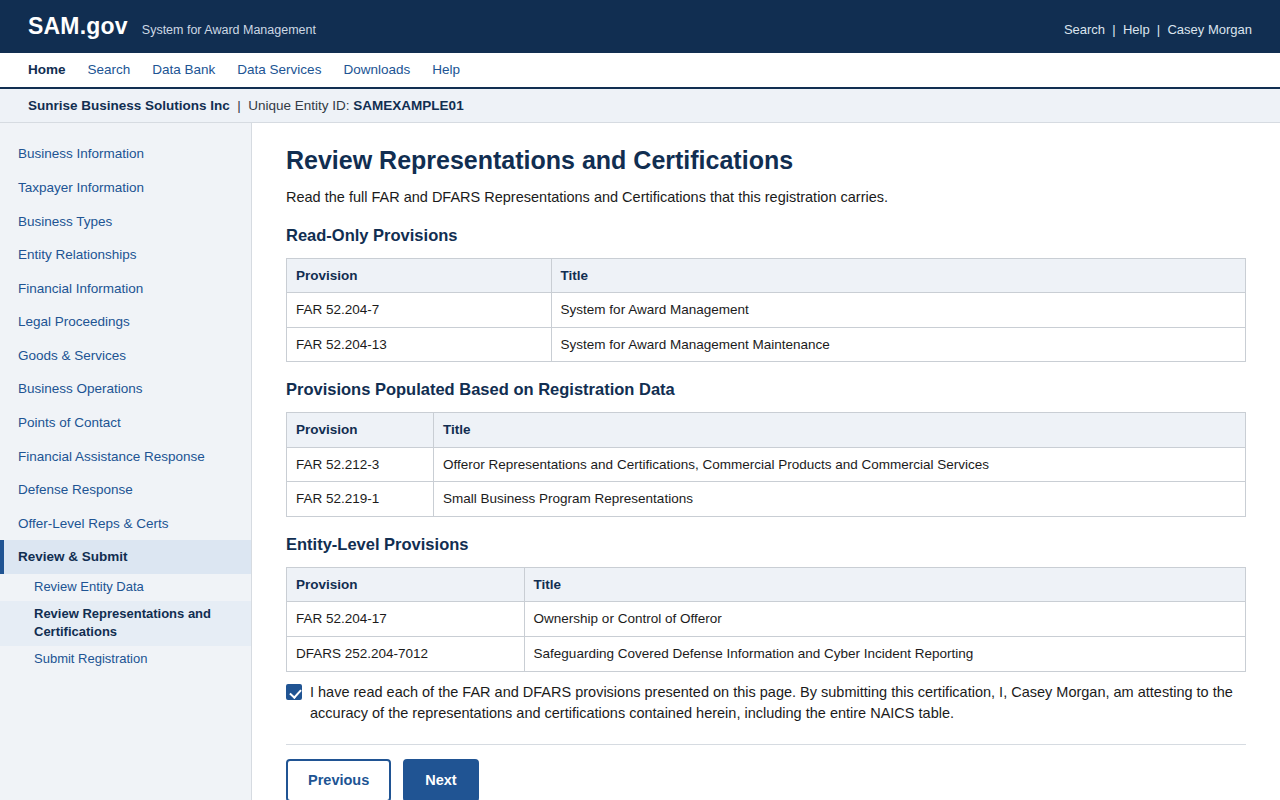
SAM.gov, Review Reps and Certs page
The three provision groups and the certification statement with its checkbox.
When you do this step for real, this is the screen waiting for you on the site. Read it over, then use the practice screen below to learn the step by doing it safely first.
Practice the certification. Read the statement, then check the box to certify, the way the real screen requires.
Checkbox: check it when this is true
A quick check on this one screen. Answer every question correctly to mark this screen complete. You can move on with Next at any time, finished or not, but the screen only counts as complete once its practice and this check are both done. You can try again if you miss one.
What are the three groups the representations and certifications are organized into on this screen?
On the real screen, read the populated representations with special care, because they were filled in from your earlier answers. Check the certification box only when the record deserves your signature.
Screen 91: Submit Registration
Everything is reviewed and certified. This screen holds the Submit button, the act that sends your registration into the federal review pipeline.
Submitting is not the finish line. After Submit, your registration still passes through verification, including IRS (Internal Revenue Service) verification of your taxpayer information and CAGE (Commercial and Government Entity) verification.
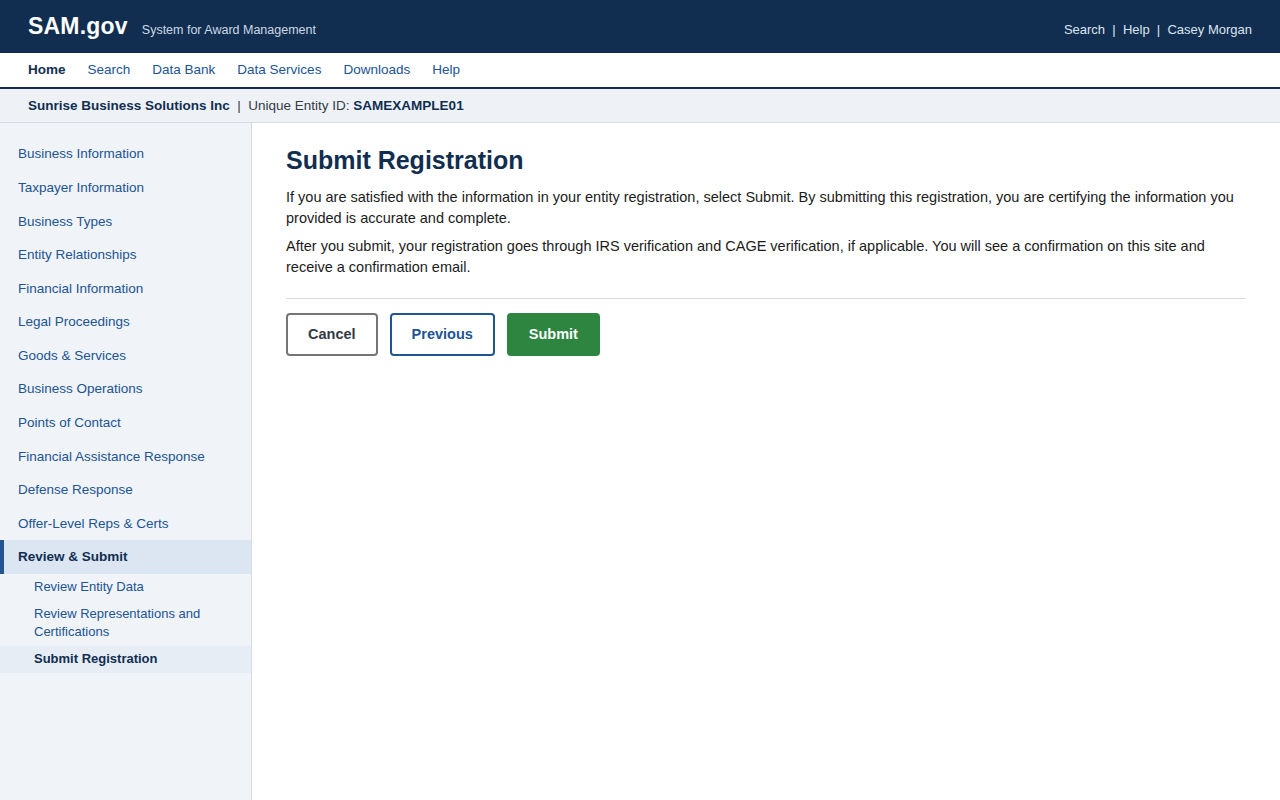
SAM.gov, Submit Registration page
The final Submit control for the entity registration.
When you do this step for real, this is the screen waiting for you on the site. Read it over, then use the practice screen below to learn the step by doing it safely first.
Practice the final act. Pick the correct control to finish the registration.
Your data is reviewed and certified. What do you press to send the registration for review?
A quick check on this one screen. Answer every question correctly to mark this screen complete. You can move on with Next at any time, finished or not, but the screen only counts as complete once its practice and this check are both done. You can try again if you miss one.
After you press Submit, what still has to happen before your registration can go Active?
On the real screen, press Submit once, deliberately, and keep the confirmation that appears. A confirmation email follows; do not start a second registration or try to edit while the record is under review.
Screen 92: Registration Submitted: Confirmation
The confirmation screen tells you the registration was submitted. From your Workspace, the Check Entity Status path shows where it stands.
Submitted and Active are different states. A submitted registration is in review. An active registration is approved, published, and ready to be used on offers.
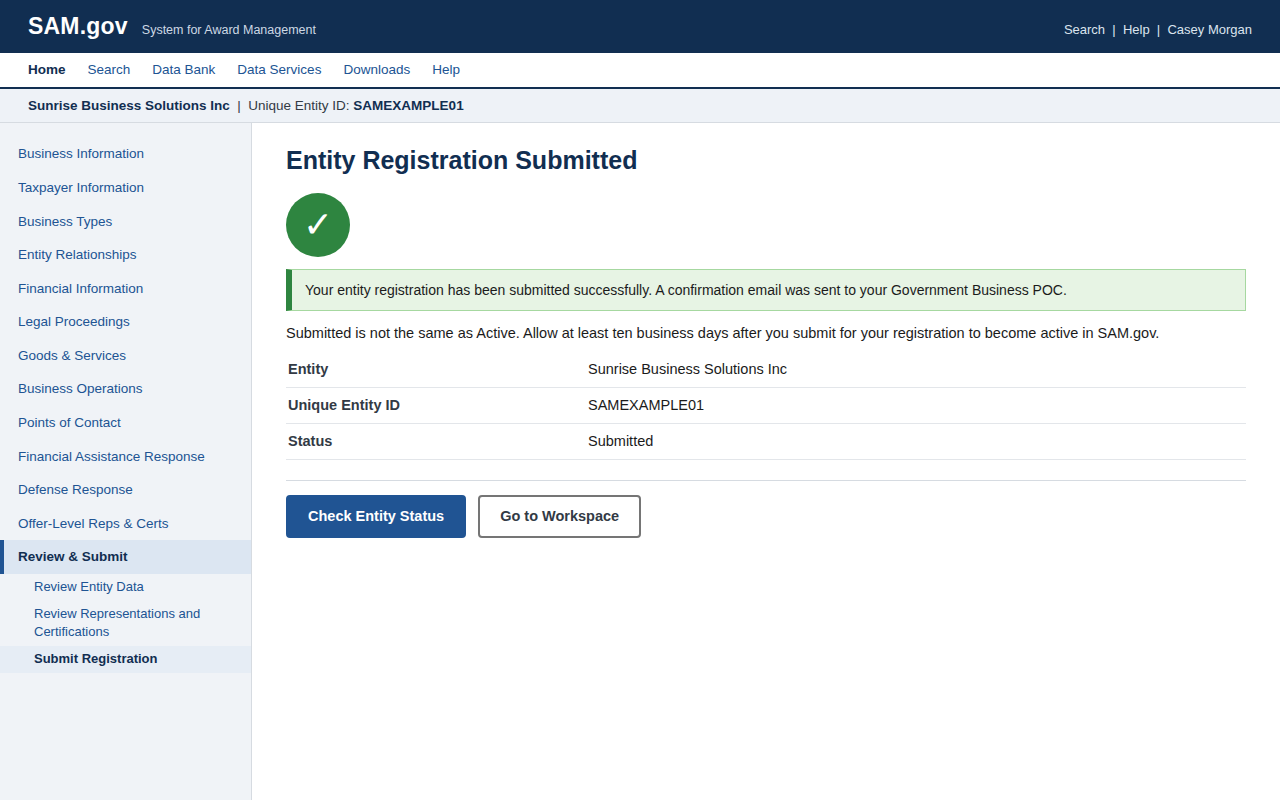
SAM.gov, Registration Submitted confirmation
The submission confirmation, with the path to check entity status from the Workspace.
When you do this step for real, this is the screen waiting for you on the site. Read it over, then use the practice screen below to learn the step by doing it safely first.
Practice the follow-up. Your confirmation email arrived yesterday and you want to know where the registration stands. Pick the correct action.
Your registration was submitted and you want to check its status. What do you do?
A quick check on this one screen. Answer every question correctly to mark this screen complete. You can move on with Next at any time, finished or not, but the screen only counts as complete once its practice and this check are both done. You can try again if you miss one.
What is the difference between Submitted and Active, and how long should you allow?
If a review fails, where does the failure notice go, and what two closing duties does the guidance give?
On the real confirmation, record your status and watch your Workspace for the registration to become Active; allow at least ten business days. Keep the Government Business POC inbox monitored for review notices, assign a second Entity Administrator, and calendar your yearly renewal.
Module complete Module Complete
Congratulations. You worked through every screen in this module, practiced each one with the example company, and passed the check on each screen.
Here is what you covered:
- Screen 88: Review and Submit: Section intro
- Screen 89: Review Entity Data
- Screen 90: Review Representations and Certifications
- Screen 91: Submit Registration
- Screen 92: Registration Submitted: Confirmation
That is the entire SAM.gov (System for Award Management) registration path, screen by screen: 92 screens, from account setup to a submitted registration. When your own registration shows Active, keep it renewed yearly, keep your POCs and banking current, and put the codes and strategy from this tool to work in the opportunity searching part of the GovCon Mastery Tool.
Pulse Academy | GovCon Mastery Tool. This lesson teaches the registration path. SAM.gov, Login.gov, and the Federal Service Desk are official government services; Pulse Academy is not part of any government agency, and no agency endorses this training.