Back to all modules Definitions: common terms, defined Search the tool

Pulse Academy | GovCon Mastery Tool
SAM Registration: Business Types
SAM screens 34 to 37 of 92. One screen at a time: see it, learn it, practice it, then answer the screen check to mark the screen complete. Back and Next always work, so you can move in any order.
Screen 34: Business Types: Section intro
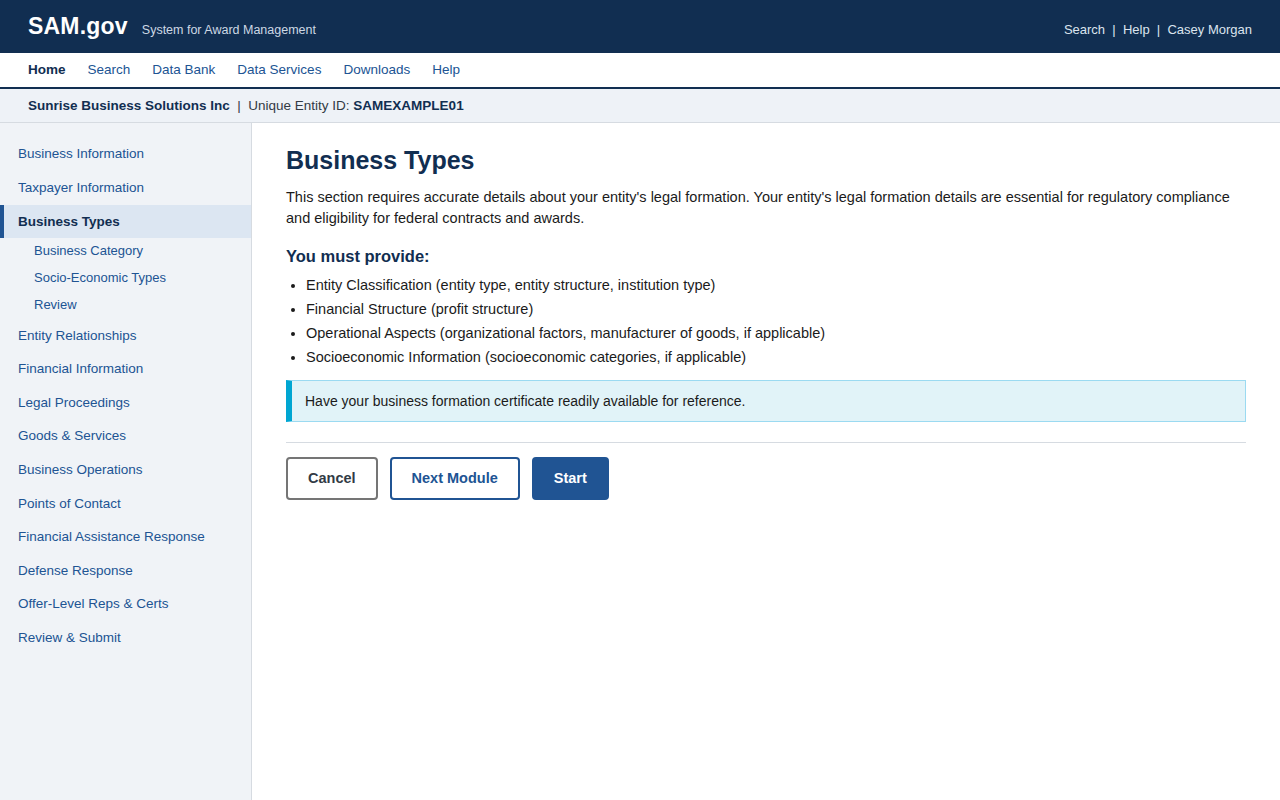
This section records the legal facts of how your entity is formed: its classification, its profit structure, and its socioeconomic categories.
The screen is blunt about why: these details are essential for regulatory compliance and for eligibility for federal contracts and awards.
SAM.gov, Business Types intro page
The page lists what you must provide: entity classification, financial structure, operational aspects, and socioeconomic information, and advises having the business formation certificate readily available.
When you do this step for real, this is the screen waiting for you on the site. Read it over, then use the practice screen below to learn the step by doing it safely first.
Practice getting ready. Check the item this section tells you to have readily available, once you know what it is.
Check what you will have ready
A quick check on this one screen. Answer every question correctly to mark this screen complete. You can move on with Next at any time, finished or not, but the screen only counts as complete once its practice and this check are both done. You can try again if you miss one.
Why do your legal formation details matter?
What document does the screen advise having readily available?
Before the real section, have your business formation certificate in hand. Classification, profit structure, and socioeconomic answers all come from your formation records.
Screen 35: Business Category
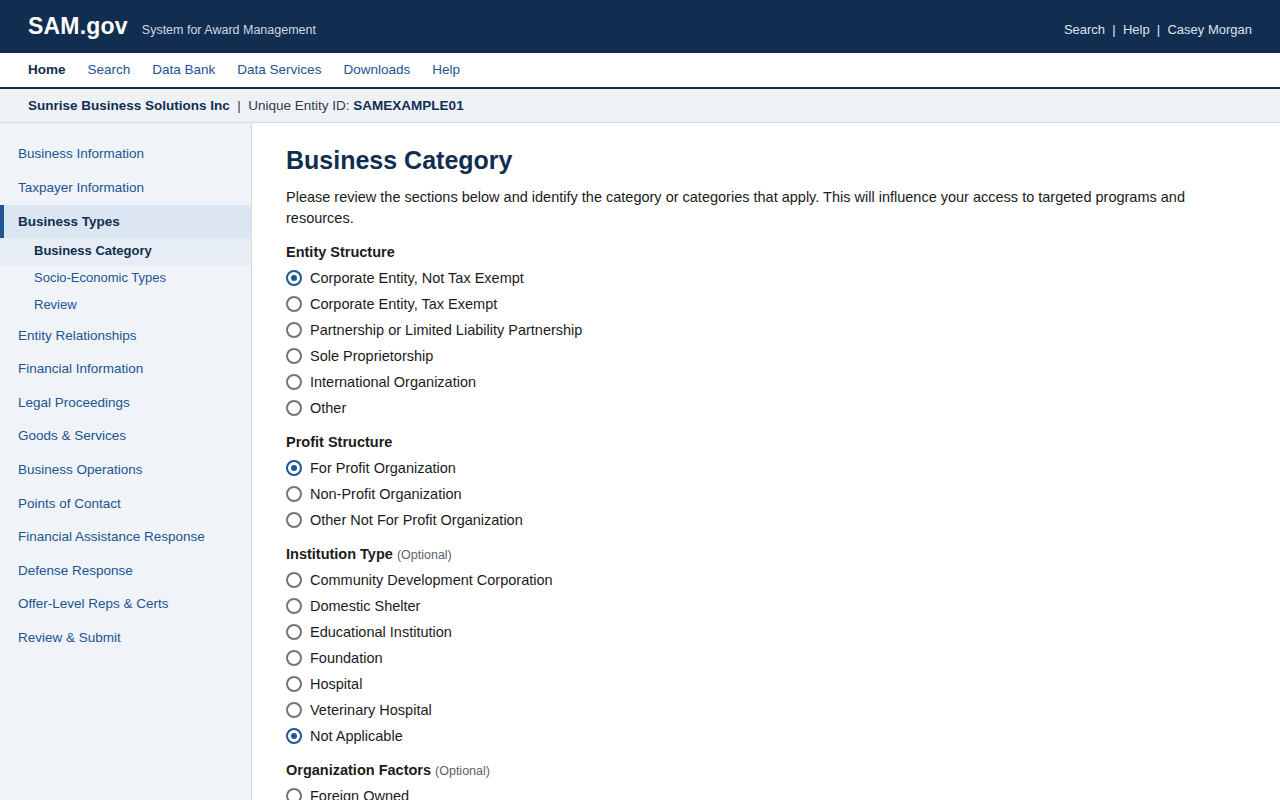
One long page of grouped choices describes your entity's legal shape: entity structure, profit structure, institution type, organization factors, whether you manufacture goods, and where you are incorporated.
Some groups are required. Institution Type and Organization Factors are marked optional.
SAM.gov, Business Category page
Radio groups for Entity Structure, Profit Structure, Institution Type, Organization Factors, and Manufacturer of Goods, with Country and State of Incorporation dropdowns.
When you do this step for real, this is the screen waiting for you on the site. Read it over, then use the practice screen below to learn the step by doing it safely first.
Practice for Sunrise, a for profit Indiana corporation that provides services and manufactures nothing. Answer each group the way Sunrise must. The Manufacturer of Goods group is marked optional on the real screen, so it may be left unanswered; if you answer it, Sunrise's answer is No.
Example company card: Sunrise Business Solutions Inc (all made up)
| Legal business name | Sunrise Business Solutions Inc |
| What it does | Ambulance services |
| Physical address | 4120 Meridian Crossing, Suite 210, Indianapolis, IN 46204 |
| Start date | March 14, 2019 (date of incorporation, Indiana) |
| Fiscal year end | December 31 |
| Owner and president | Casey Morgan |
Pick one: Entity Structure
Pick one: Profit Structure
Pick one: Manufacturer of Goods (Optional)
A quick check on this one screen. Answer every question correctly to mark this screen complete. You can move on with Next at any time, finished or not, but the screen only counts as complete once its practice and this check are both done. You can try again if you miss one.
Which option in Entity Structure matches a corporation that is not tax exempt?
Which of the Organization Factors are optional, and why claim only the ones that actually apply?
On the real page, answer each group from your formation documents: entity structure, profit structure, and the organization factors that truly apply. Claim only what your documents support.
Screen 36: Socio-Economic Types
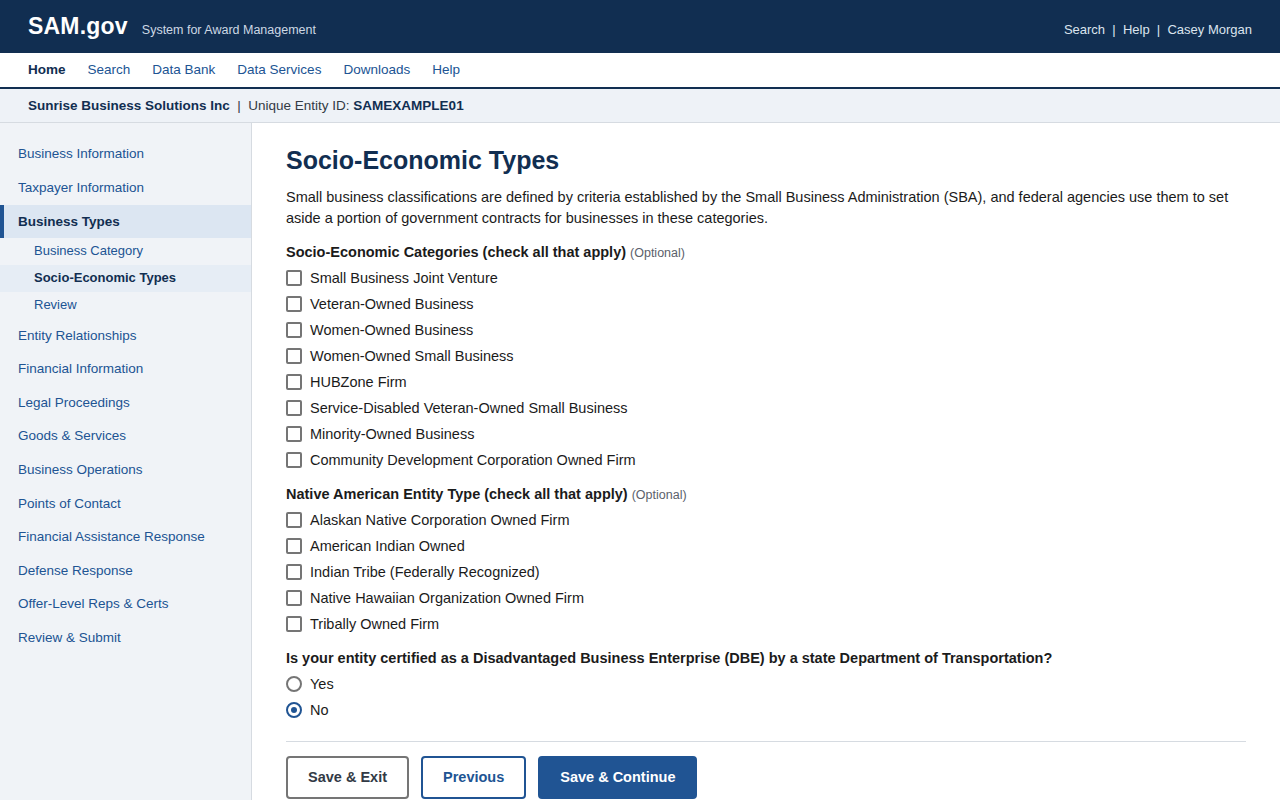
This screen lists socioeconomic categories you may self-certify: veteran-owned, women-owned, HUBZone (Historically Underutilized Business Zone), minority-owned, and more, plus Native American entity types and a Disadvantaged Business Enterprise (DBE) question.
The categories are defined by the Small Business Administration. Federal agencies set aside a portion of contracts for businesses in these categories, which is why this screen exists.
SAM.gov, Socio-Economic Types page
Checkbox lists of socioeconomic categories and Native American entity types, and a Yes or No question about state Department of Transportation DBE certification.
When you do this step for real, this is the screen waiting for you on the site. Read it over, then use the practice screen below to learn the step by doing it safely first.
Practice for Sunrise. Practice facts: Sunrise is a small business, but it is not veteran-owned, not women-owned, holds no HUBZone or other listed category, and holds no DBE certification. Answer honestly for Sunrise.
Check only what is true for Sunrise
Pick one: Is your entity certified as a Disadvantaged Business Enterprise by a state Department of Transportation?
A quick check on this one screen. Answer every question correctly to mark this screen complete. You can move on with Next at any time, finished or not, but the screen only counts as complete once its practice and this check are both done. You can try again if you miss one.
Why must you claim only the categories you can actually support if asked?
What is the difference between self-certifying a category here and holding a formal certification?
On the real screen, self-certify only the categories your entity genuinely qualifies for and could document under audit. If a category runs through a formal program, like HUBZone or 8(a), pursue that certification through the SBA instead of just claiming it here.
Screen 37: Business Types: Review
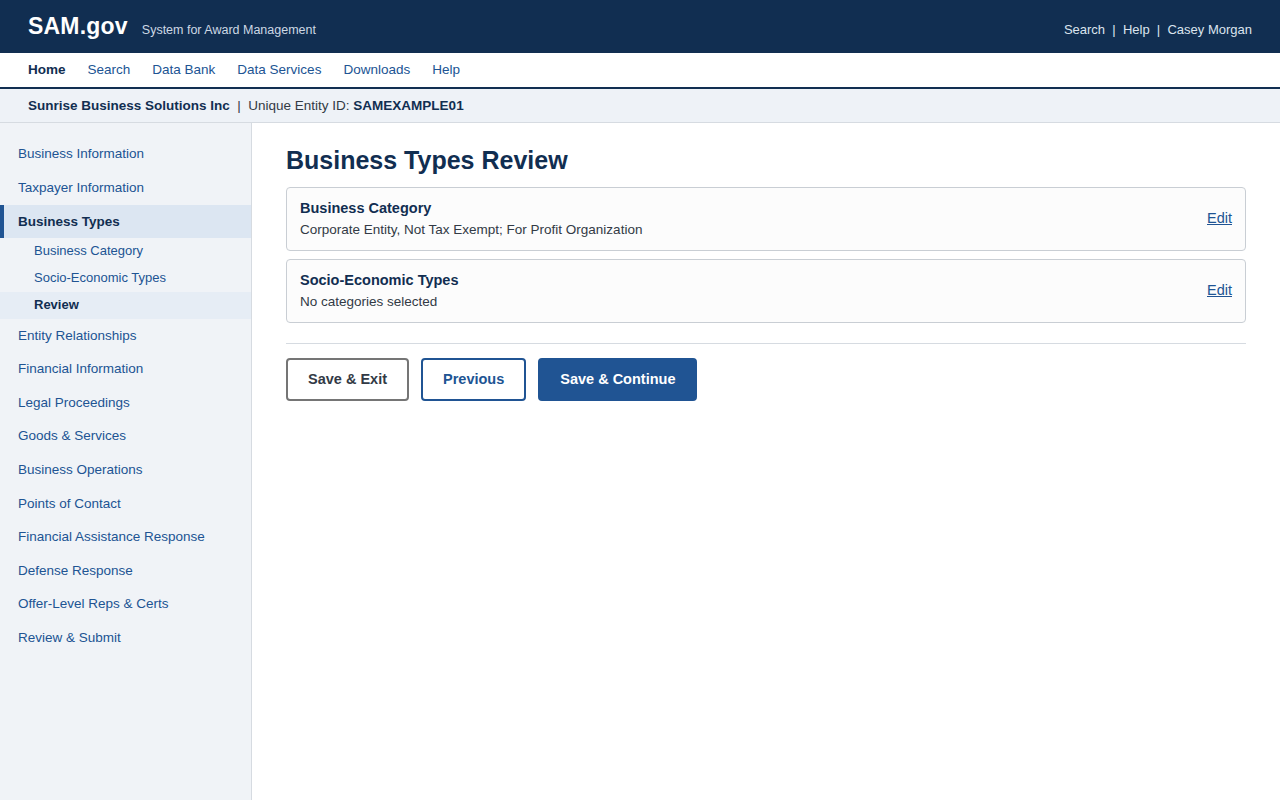
The review screen for Business Types shows two rows: Business Category and Socio-Economic Types, each with an Edit link.
Nothing new is entered here. This screen exists so you can catch a wrong claim before it becomes part of your certified record.
SAM.gov, Business Types Review page
Two review rows, Business Category and Socio-Economic Types, each with Edit, and Save and Continue buttons.
When you do this step for real, this is the screen waiting for you on the site. Read it over, then use the practice screen below to learn the step by doing it safely first.
Practice the review habit. Check both rows to confirm you read them, the way you will on every review screen.
Check each row after you review it
A quick check on this one screen. Answer every question correctly to mark this screen complete. You can move on with Next at any time, finished or not, but the screen only counts as complete once its practice and this check are both done. You can try again if you miss one.
What do you check on a Review screen before selecting Save and Continue?
On the real review, read both rows, Business Category and Socio-Economic Types, and edit anything that does not match your records before you save and continue.
Module complete Module Complete
Congratulations. You worked through every screen in this module, practiced each one with the example company, and passed the check on each screen.
Here is what you covered:
- Screen 34: Business Types: Section intro
- Screen 35: Business Category
- Screen 36: Socio-Economic Types
- Screen 37: Business Types: Review
Your legal formation and socioeconomic categories are recorded. Next, Entity Relationships, where ownership and control are disclosed.
Pulse Academy | GovCon Mastery Tool. This lesson teaches the registration path. SAM.gov, Login.gov, and the Federal Service Desk are official government services; Pulse Academy is not part of any government agency, and no agency endorses this training.