Back to all modules Definitions: common terms, defined Search the tool

Pulse Academy | GovCon Mastery Tool
SAM Registration: Entity Relationships
SAM screens 38 to 42 of 92. One screen at a time: see it, learn it, practice it, then answer the screen check to mark the screen complete. Back and Next always work, so you can move in any order.
Screen 38: Entity Relationships: Section intro
This section collects information about any ownership or control relationships involving your entity. Federal regulations require the disclosure, for compliance with acquisition and reporting rules.
The screen tells you what to have ready: the legal name and ownership type for any owner, and a CAGE (Commercial and Government Entity) or NCAGE (NATO Commercial and Government Entity) code for each owner.
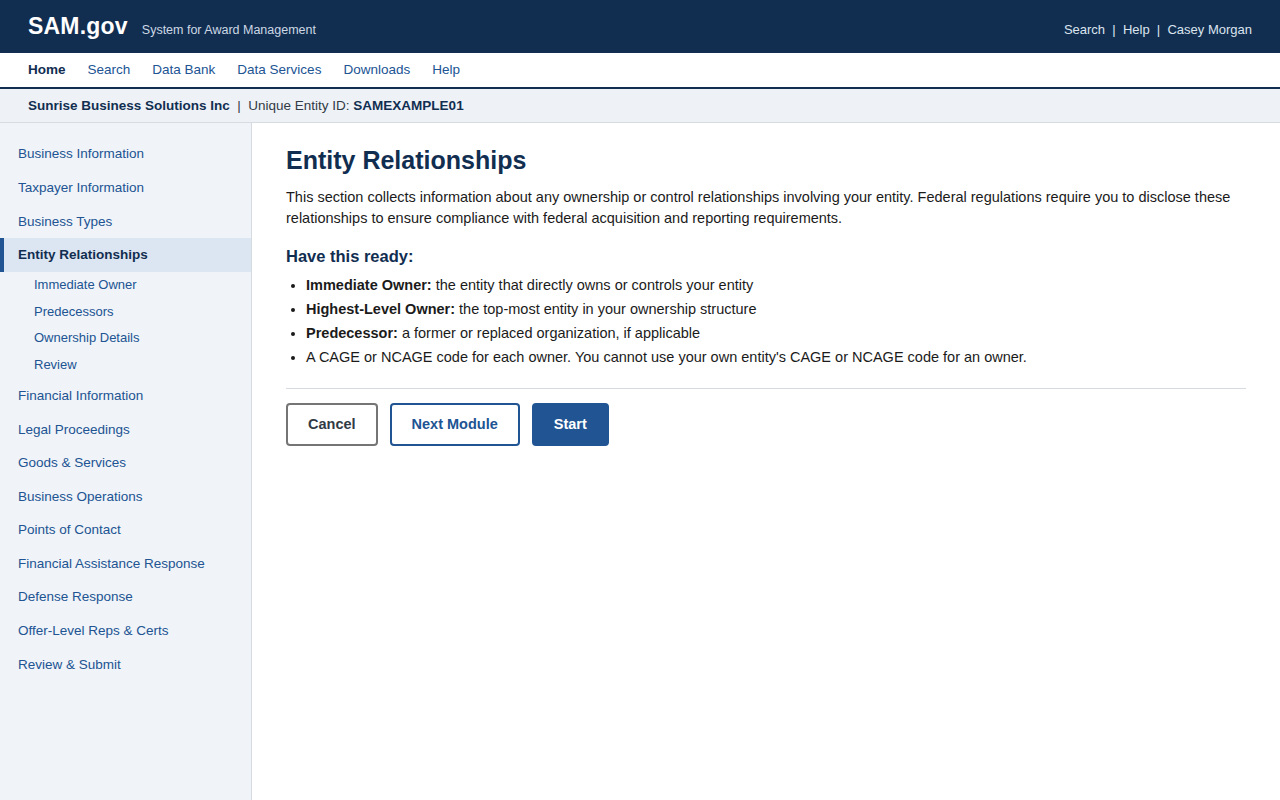
SAM.gov, Entity Relationships intro page
The page explains ownership disclosure and lists what to have ready: Immediate Owner, Highest-Level Owner, Predecessor, and a CAGE or NCAGE code for each owner.
When you do this step for real, this is the screen waiting for you on the site. Read it over, then use the practice screen below to learn the step by doing it safely first.
Practice getting ready. Check each fact once you understand it.
Check each fact you understand
A quick check on this one screen. Answer every question correctly to mark this screen complete. You can move on with Next at any time, finished or not, but the screen only counts as complete once its practice and this check are both done. You can try again if you miss one.
What is the difference between an Immediate Owner and a Highest-Level Owner?
What must you have ready for each owner, and whose CAGE code can you NOT use for an owner?
Before the real section, map your ownership on paper: who directly owns or controls your entity, and who sits at the top of the chain. Owners are identified by their own CAGE or NCAGE codes, never by yours.
Screen 39: Immediate Owner
This is the ownership question, asked plainly: does another entity own or control the entity you are registering?
Answering Yes opens the Ownership Details step later in this section, where the owner's information is collected.
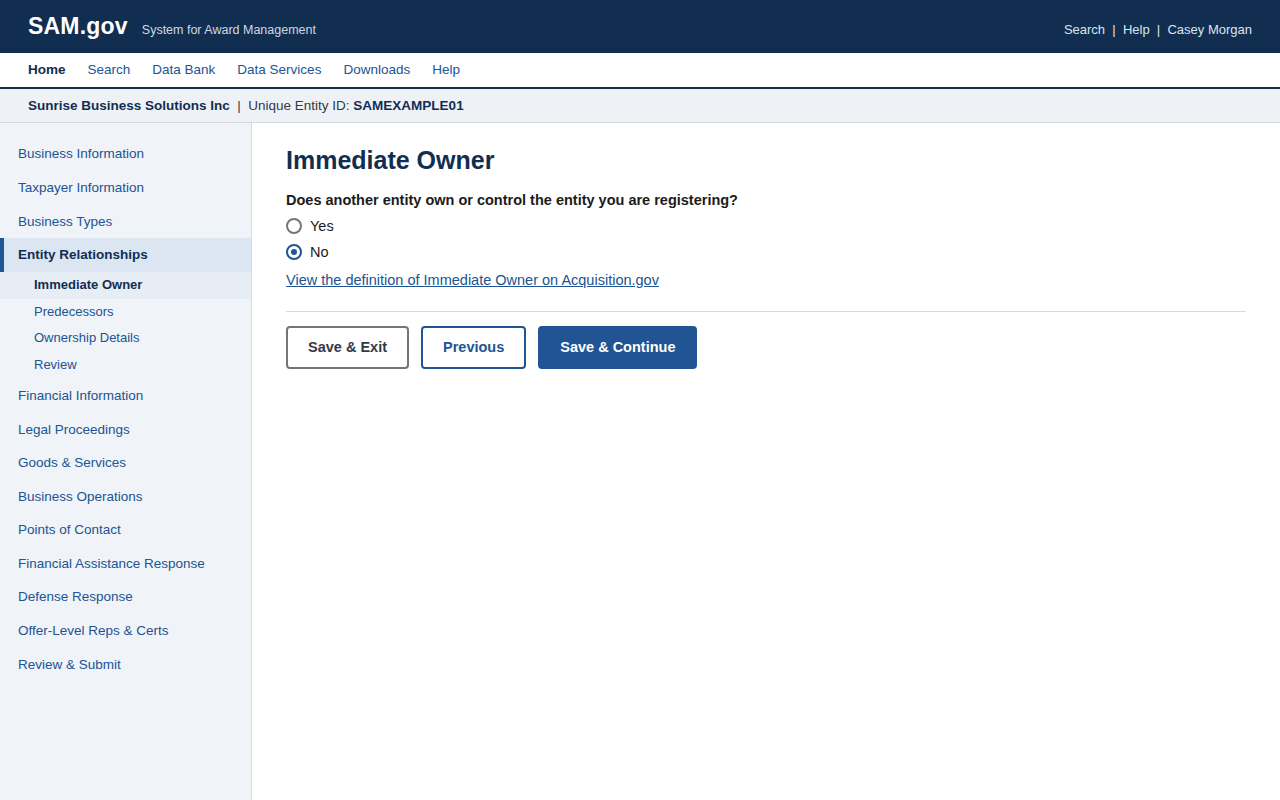
SAM.gov, Immediate Owner page
The question Does another entity own or control the entity you are registering, with Yes and No radio buttons and a link to the definition of Immediate Owner.
When you do this step for real, this is the screen waiting for you on the site. Read it over, then use the practice screen below to learn the step by doing it safely first.
“Is your entity owned or controlled by another entity? (yes or no)” If yes: “Is your immediate owner located outside the U.S. and its territories? (yes or no)” An owner outside the U.S. is identified by its NCAGE Code.
The words above are the form text you will see, quoted from: Federal Service Desk (FSD) Entity Registration Checklist, Core Data item 4, Ownership Details. The live screen phrases the first question: Does another entity own or control the entity you are registering?. The teaching in this lesson is written in our own words.Practice twice, in your head and on the screen. The practice scenario on the screen is Sunrise: owned by its founder, a person, and by no other entity. Answer for Sunrise.
Example company card: Sunrise Business Solutions Inc (all made up)
| Legal business name | Sunrise Business Solutions Inc |
| What it does | Ambulance services |
| Physical address | 4120 Meridian Crossing, Suite 210, Indianapolis, IN 46204 |
| Ownership | Owned by its founder, Casey Morgan. No other entity owns or controls Sunrise. |
| Bank (made up) | First Example Bank, routing 123456789, account 0007654321, checking |
Pick one: Does another entity own or control the entity you are registering?
A quick check on this one screen. Answer every question correctly to mark this screen complete. You can move on with Next at any time, finished or not, but the screen only counts as complete once its practice and this check are both done. You can try again if you miss one.
Your company is wholly owned by a parent company. What do you answer here, what did you answer at Common Parent, and why are they different?
If your immediate owner is located outside the U.S., what code must you enter for it?
On the real question, answer for ownership and control only: if another entity owns or controls yours, the answer is Yes, and a parent company counts here. Do not carry over your Common Parent answer; that question was about taxes, this one is about ownership.
Screen 40: Predecessors
This question asks whether your entity is a successor to a predecessor: an earlier entity that your company took over from, which held a federal contract or grant.
The official question sets a window: within the last three years.
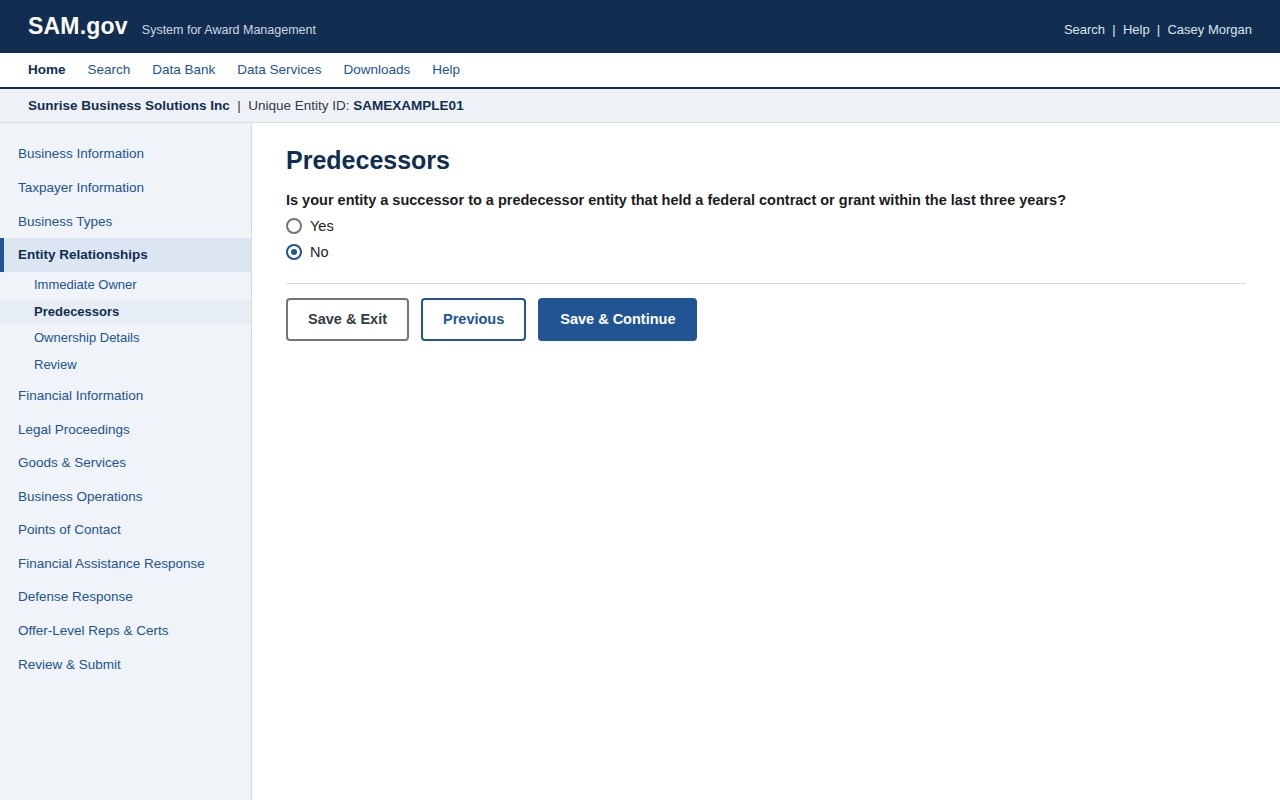
SAM.gov, Predecessors page
The successor question with Yes and No radio buttons.
When you do this step for real, this is the screen waiting for you on the site. Read it over, then use the practice screen below to learn the step by doing it safely first.
“Is your entity a successor to a predecessor entity that held a federal contract or grant within the last three years? (yes or no)” If yes, provide your three most recent predecessors in reverse chronological order, starting with the most recent predecessor's CAGE or NCAGE Code.
The words above are the form text you will see, quoted from: FSD Entity Registration Checklist, Core Data item 5, Predecessor Details. The teaching in this lesson is written in our own words.Practice for Sunrise. Sunrise was formed in 2019 and took over from no earlier company. Answer for Sunrise.
Pick one: Are you a successor to a predecessor that held a federal contract or grant?
A quick check on this one screen. Answer every question correctly to mark this screen complete. You can move on with Next at any time, finished or not, but the screen only counts as complete once its practice and this check are both done. You can try again if you miss one.
What makes an earlier company your predecessor, and what is the look-back window?
On the real question, answer Yes only if your entity succeeded an earlier entity that held a federal contract or grant within the last three years. A fresh company with no predecessor answers No.
Screen 41: Ownership Details
This step collects the details behind the ownership answers you just gave: the owners' legal names, the type of ownership, and each owner's CAGE or NCAGE code.
If you answered No to Immediate Owner and No to Predecessors, there is little or nothing to enter here. The step exists for companies that declared owners or predecessors.
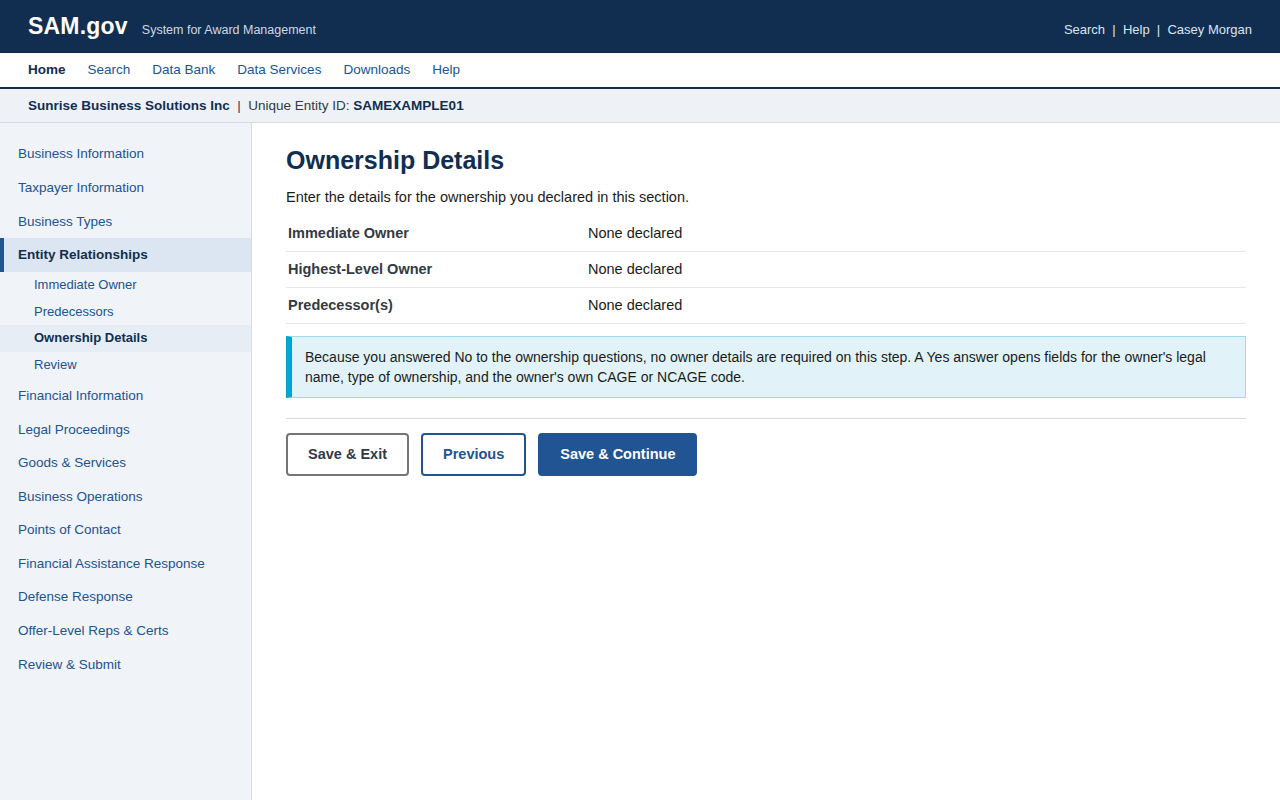
SAM.gov, Ownership Details page
A form for owner details: legal names, ownership type, and CAGE or NCAGE codes for the immediate owner, highest-level owner, and any predecessors.
When you do this step for real, this is the screen waiting for you on the site. Read it over, then use the practice screen below to learn the step by doing it safely first.
Practice the determination. The scenario: a company answered Yes to Immediate Owner, and its owner is a U.S. company. Pick what that company must enter on this step.
A quick check on this one screen. Answer every question correctly to mark this screen complete. You can move on with Next at any time, finished or not, but the screen only counts as complete once its practice and this check are both done. You can try again if you miss one.
Where do the CAGE and NCAGE codes for your owners come from, and why can't an owner use your entity's own CAGE code?
On the real step, enter each owner's legal name, ownership type, and that owner's own CAGE or NCAGE code from your ownership records. A non-U.S. owner requires its NCAGE code.
Screen 42: Entity Relationships: Review
The review screen for Entity Relationships summarizes three things: Immediate Owner, Predecessor(s), and Ownership Details, each with an Edit link.
Read the summary as a story about your company's ownership. If the story is wrong, this is where you fix it.
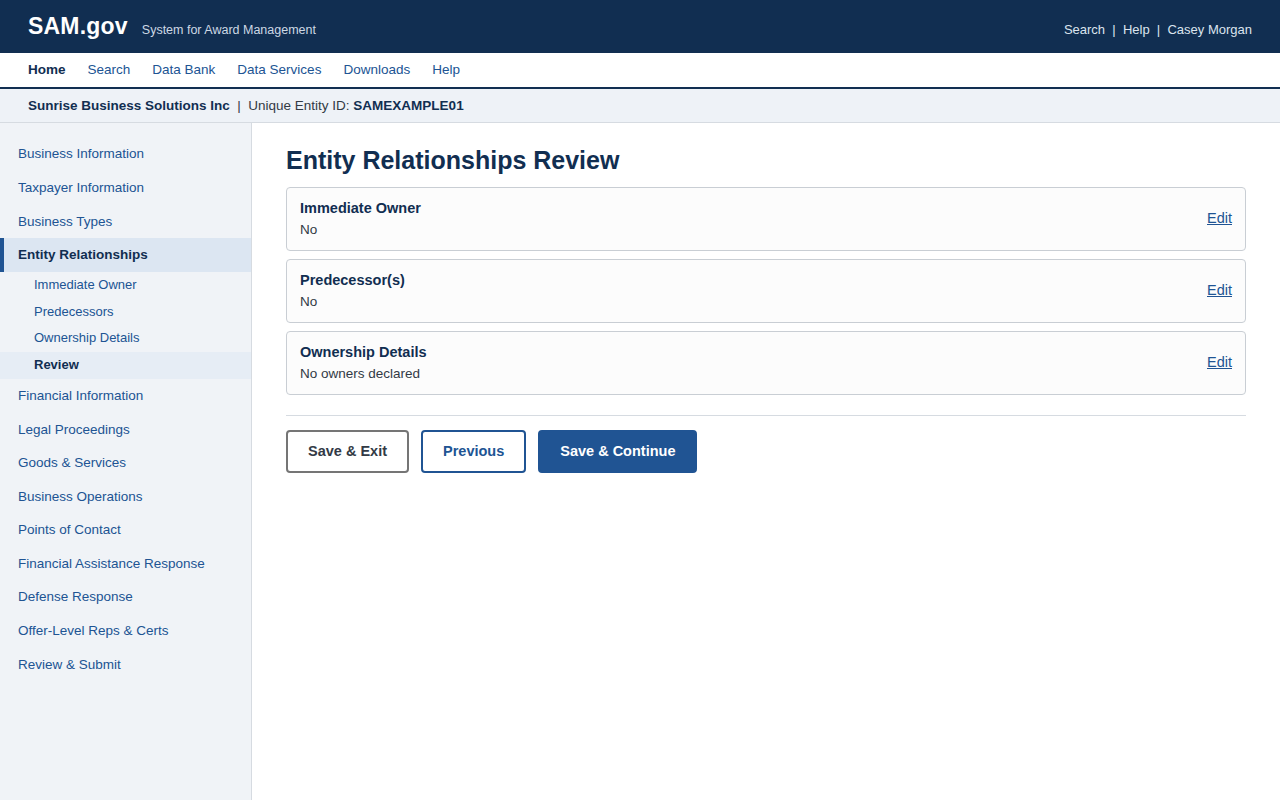
SAM.gov, Entity Relationships Review page
Rows for Immediate Owner, Predecessor(s), and Ownership Details, each with Edit, and Save and Continue buttons.
When you do this step for real, this is the screen waiting for you on the site. Read it over, then use the practice screen below to learn the step by doing it safely first.
Practice the review. Check the three rows this review summarizes.
Check each row after reviewing it
A quick check on this one screen. Answer every question correctly to mark this screen complete. You can move on with Next at any time, finished or not, but the screen only counts as complete once its practice and this check are both done. You can try again if you miss one.
What three things does this Review summarize before you move on?
On the real review, read the ownership story the three rows tell and confirm it matches your real structure before continuing. For an individually owned company, the story is short: no entity owner, no predecessors.
Module complete Module Complete
Congratulations. You worked through every screen in this module, practiced each one with the example company, and passed the check on each screen.
Here is what you covered:
- Screen 38: Entity Relationships: Section intro
- Screen 39: Immediate Owner
- Screen 40: Predecessors
- Screen 41: Ownership Details
- Screen 42: Entity Relationships: Review
Ownership and control are disclosed. Next, Financial Information, where the government learns how to pay you.
Pulse Academy | GovCon Mastery Tool. This lesson teaches the registration path. SAM.gov, Login.gov, and the Federal Service Desk are official government services; Pulse Academy is not part of any government agency, and no agency endorses this training.