Back to all modules Definitions: common terms, defined Search the tool
Pulse Academy | GovCon Mastery Tool
SAM Registration: Business Operations
SAM screens 63 to 67 of 92. One screen at a time: see it, learn it, practice it, then answer the screen check to mark the screen complete. Back and Next always work, so you can move in any order.
Screen 63: Business Operations: Section intro
This module covers three topics some opportunities require: your company's security clearances, Electronic Data Interchange information, and the Disaster Response Registry.
The official checklist files these topics in different places, but the live registration groups them here, in their own module after Goods and Services. The build follows the live order, the order you will actually see.
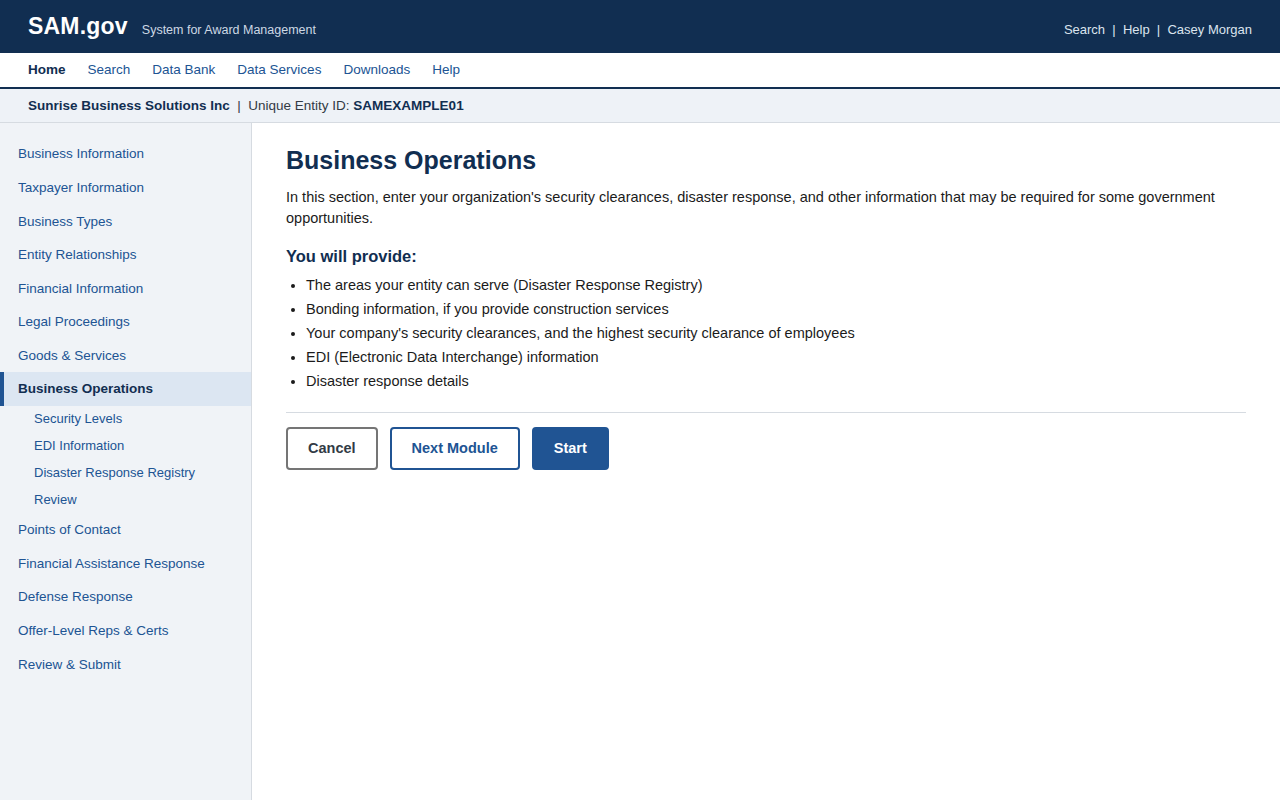
SAM.gov, Business Operations intro page
The page lists what you will provide: disaster response areas and details, bonding information if applicable, company and employee security clearances, and EDI information.
When you do this step for real, this is the screen waiting for you on the site. Read it over, then use the practice screen below to learn the step by doing it safely first.
Practice the map. Check the three topics this module covers.
Check each topic this module covers
A quick check on this one screen. Answer every question correctly to mark this screen complete. You can move on with Next at any time, finished or not, but the screen only counts as complete once its practice and this check are both done. You can try again if you miss one.
What three topics does this module cover?
Before the real module, be honest with yourself on three facts: clearances your company actually holds, whether you actually run EDI, and whether you want disaster response work you can truly perform.
Screen 64: Security Levels
Two optional questions: the highest security clearance level held by your employees, and the highest held by your facility.
The choices run from Government confidential up through Government top secret, plus Government non-classified and Not applicable.
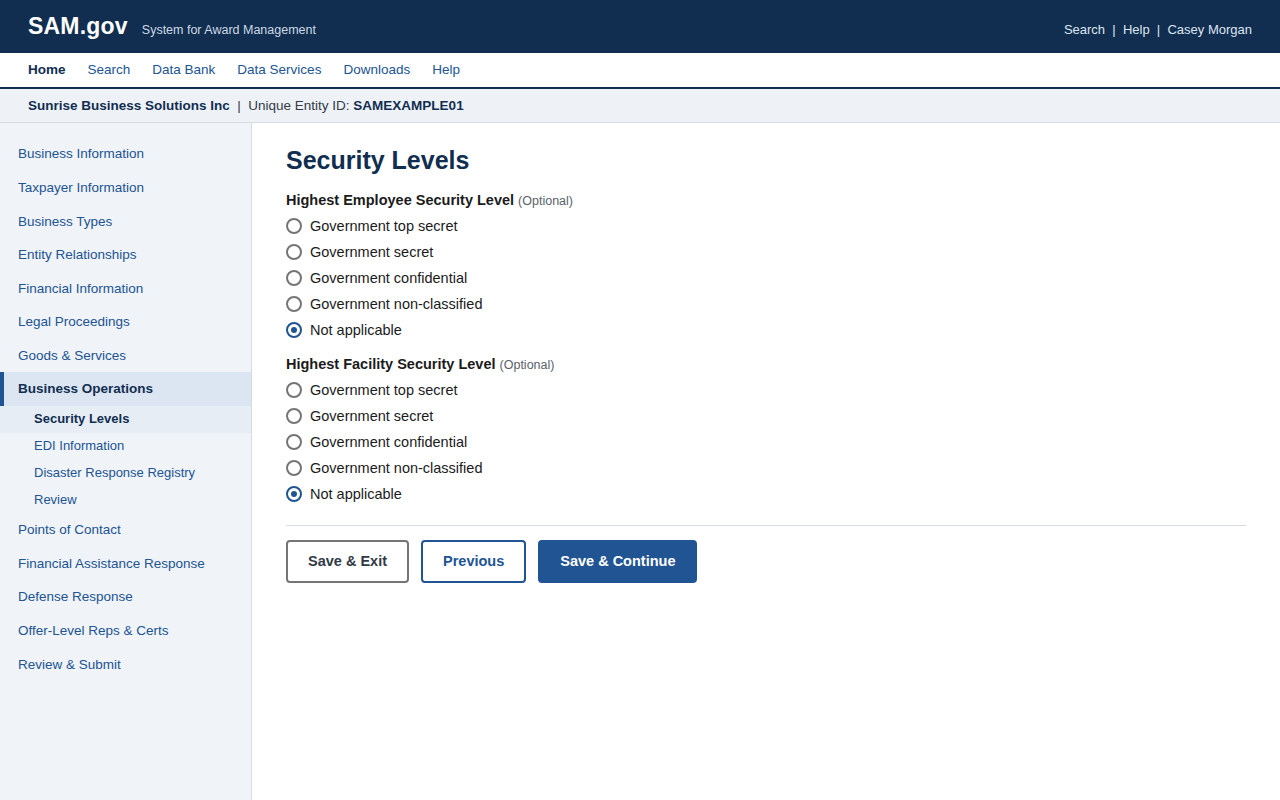
SAM.gov, Security Levels page
Two radio groups, Highest Employee Security Level and Highest Facility Security Level, each marked Optional, with the same list of clearance levels.
When you do this step for real, this is the screen waiting for you on the site. Read it over, then use the practice screen below to learn the step by doing it safely first.
Practice for Sunrise. Sunrise holds no security clearances, for its employees or its facility. Both questions are optional on the real screen, so they may be left unanswered; if you answer them, answer the way Sunrise must.
Pick one: Highest Employee Security Level (Optional)
Pick one: Highest Facility Security Level (Optional)
A quick check on this one screen. Answer every question correctly to mark this screen complete. You can move on with Next at any time, finished or not, but the screen only counts as complete once its practice and this check are both done. You can try again if you miss one.
Both questions on this screen are optional. What do you select if your company holds no security clearances?
On the real questions, report only clearance levels your employees and your facility actually hold. If you hold none, Not applicable is the honest answer on both.
Screen 65: Electronic Data Interchange (EDI) Information
EDI, Electronic Data Interchange, is a system to system way of sending and receiving business documents electronically, used on some government contracts.
This screen asks one question: do you wish to enter EDI information? A Yes answer opens fields for your EDI provider and identifiers.
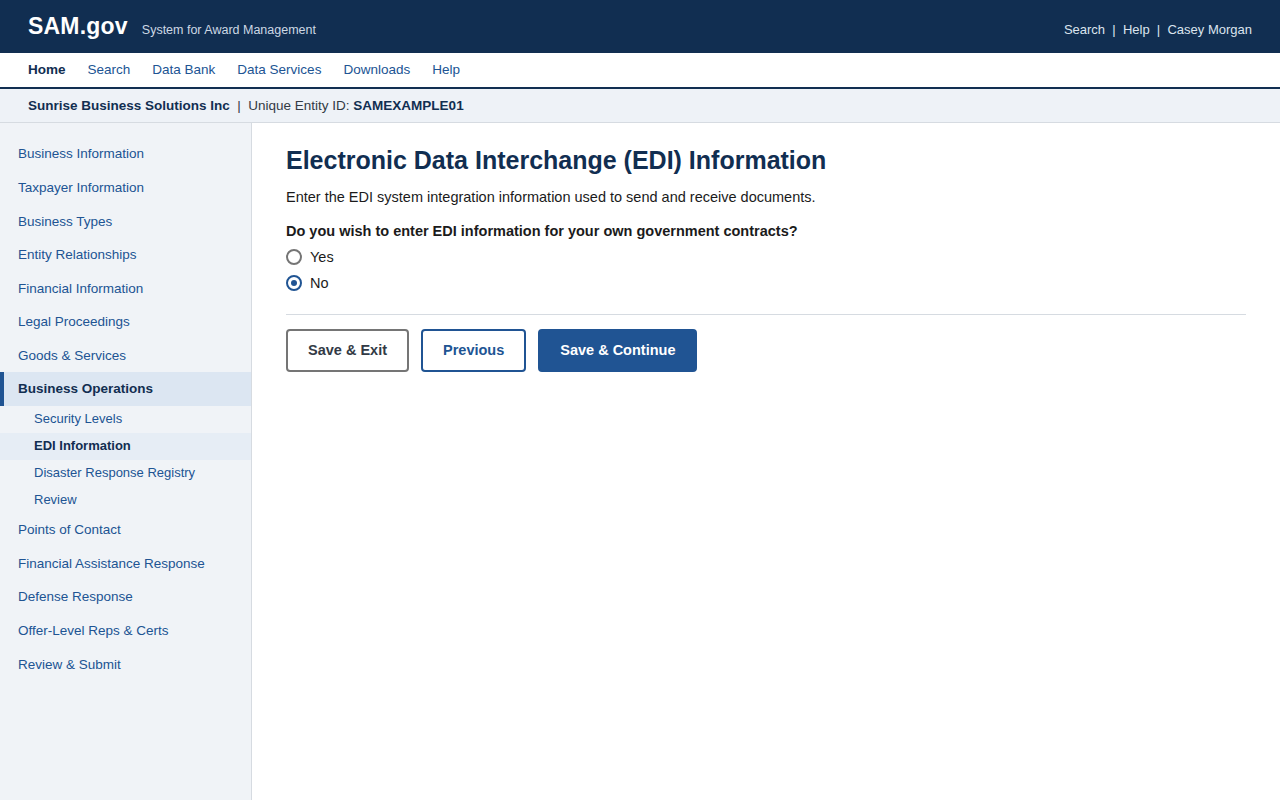
SAM.gov, EDI Information page
The question Do you wish to enter EDI information for your own government contracts, with Yes and No choices, and EDI provider fields behind a Yes.
When you do this step for real, this is the screen waiting for you on the site. Read it over, then use the practice screen below to learn the step by doing it safely first.
“Do you wish to enter EDI Information for your non-government entity? (yes or no)”
The words above are the form text you will see, quoted from: Federal Service Desk (FSD) Entity Registration Checklist, Assertions item 3. Wording variant: the live screen reads, Do you wish to enter EDI information for your own government contracts?. The teaching in this lesson is written in our own words.Practice for Sunrise. Sunrise has no EDI system and exchanges documents by email and portals. Answer for Sunrise.
Pick one: Do you wish to enter EDI information for your own government contracts?
A quick check on this one screen. Answer every question correctly to mark this screen complete. You can move on with Next at any time, finished or not, but the screen only counts as complete once its practice and this check are both done. You can try again if you miss one.
In plain words, what is EDI, and what does answering Yes open up?
On the real question, answer Yes only if your entity actually uses EDI on government contracts and you can supply your VAN provider and identifiers. Most small businesses answer No, and No is complete.
Screen 66: Disaster Response Registry
This screen offers a choice: be listed in the Disaster Response Registry, the list the government turns to for debris removal, distribution of supplies, reconstruction, and other disaster or emergency relief work.
Answering Yes opens follow-ups: whether your company requires bonding to bid on contracts, with bonding levels if so, and the geographic area you serve.
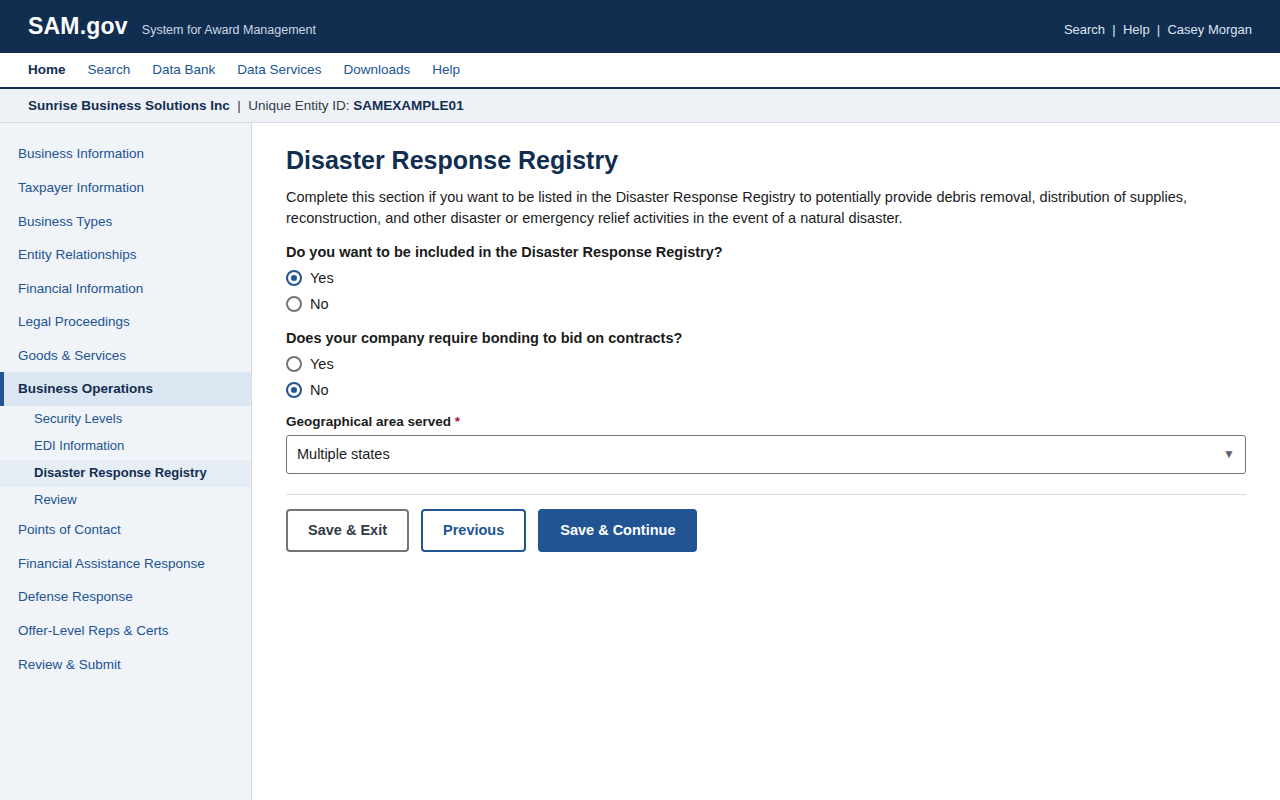
SAM.gov, Disaster Response Registry page
The question Do you want to be included in the Disaster Response Registry, with Yes and No choices.
When you do this step for real, this is the screen waiting for you on the site. Read it over, then use the practice screen below to learn the step by doing it safely first.
“Do you wish to be included in the Disaster Response Registry? (yes or no)” If yes: “Does your company require bonding to bid on contracts? (yes or no)” with bonding levels in whole dollars, and the geographical area served.
The words above are the form text you will see, quoted from: FSD Entity Registration Checklist, Assertions item 4. The teaching in this lesson is written in our own words.Practice for Sunrise. Sunrise can perform emergency medical transport in a disaster and wants to be listed. It does not require bonding to bid. Its service area is one state, Indiana. Answer all three parts for Sunrise.
Pick one: Do you want to be included in the Disaster Response Registry?
Pick one: Does your company require bonding to bid on contracts?
A quick check on this one screen. Answer every question correctly to mark this screen complete. You can move on with Next at any time, finished or not, but the screen only counts as complete once its practice and this check are both done. You can try again if you miss one.
What kinds of work does the Disaster Response Registry list you for?
If you answer Yes, what follow-up information must you provide?
On the real screen, opt into the Disaster Response Registry only for relief work your company can actually perform, and be ready with your bonding answers and the service area you can cover.
Screen 67: Business Operations: Review
The review screen for Business Operations lists Security Levels, Electronic Data Interchange Information, and Disaster Response Registry, each with an Edit link.
A Business Operations Complete message confirms the section when it closes.
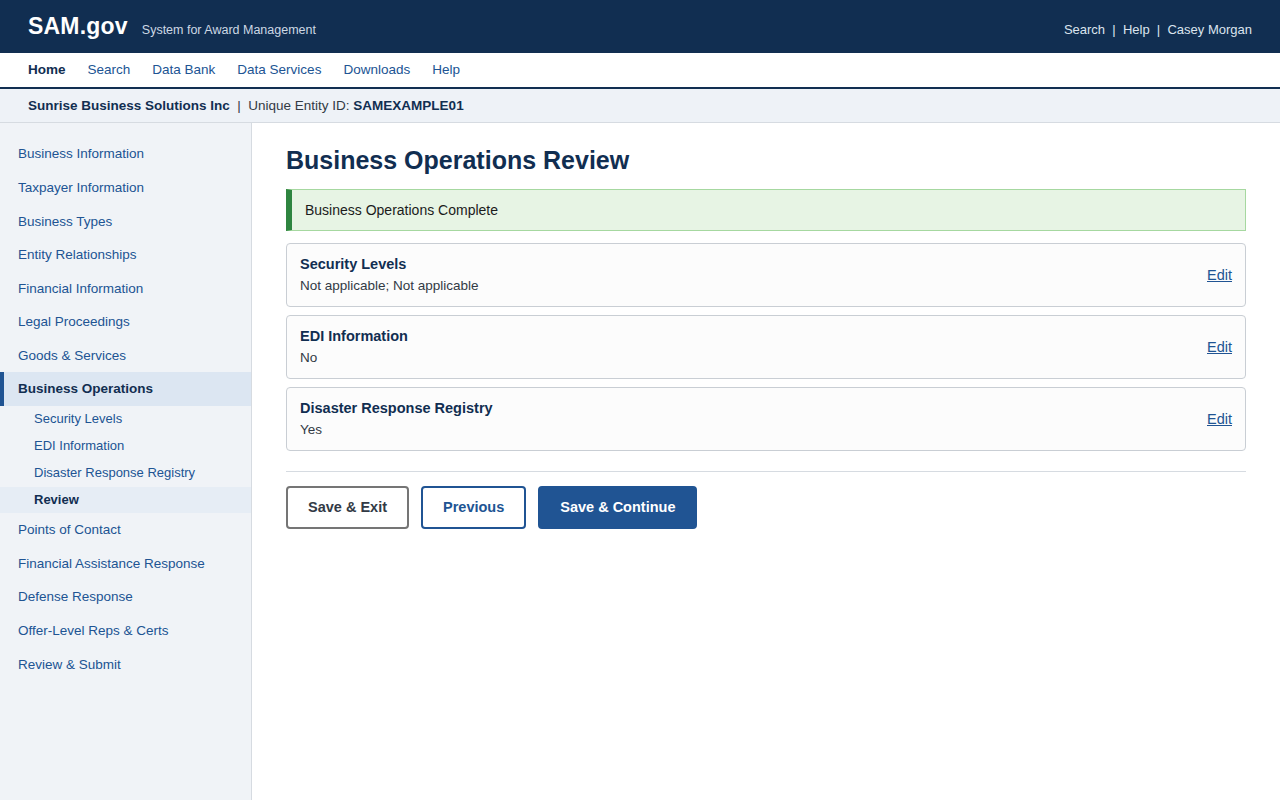
SAM.gov, Business Operations Review page
One row per sub-step with Edit, and the section completion confirmation.
When you do this step for real, this is the screen waiting for you on the site. Read it over, then use the practice screen below to learn the step by doing it safely first.
Practice the review. Check the three rows.
Check each row after reviewing it
A quick check on this one screen. Answer every question correctly to mark this screen complete. You can move on with Next at any time, finished or not, but the screen only counts as complete once its practice and this check are both done. You can try again if you miss one.
What three sub-steps are you confirming on this Review?
On the real review, confirm the three rows tell the truth: clearances you hold, EDI you use, and a registry choice you mean. Then continue.
Module complete Module Complete
Congratulations. You worked through every screen in this module, practiced each one with the example company, and passed the check on each screen.
Here is what you covered:
- Screen 63: Business Operations: Section intro
- Screen 64: Security Levels
- Screen 65: Electronic Data Interchange (EDI) Information
- Screen 66: Disaster Response Registry
- Screen 67: Business Operations: Review
Security levels, EDI, and disaster response are recorded. Next, Points of Contact, the people the government will reach about your entity.
Pulse Academy | GovCon Mastery Tool. This lesson teaches the registration path. SAM.gov, Login.gov, and the Federal Service Desk are official government services; Pulse Academy is not part of any government agency, and no agency endorses this training.