Back to all modules Definitions: common terms, defined Search the tool
Pulse Academy | GovCon Mastery Tool
SAM Registration: Financial Assistance Response
SAM screens 72 to 73 of 92. One screen at a time: see it, learn it, practice it, then answer the screen check to mark the screen complete. Back and Next always work, so you can move in any order.
Screen 72: Financial Assistance Response: Section intro
This short section holds the representations and certifications for federal financial assistance: grants, cooperative agreements, loans, and other assistance programs.
It is required for entities applying for federal financial assistance. Because an All Awards registration includes assistance eligibility, the section appears in this flow.
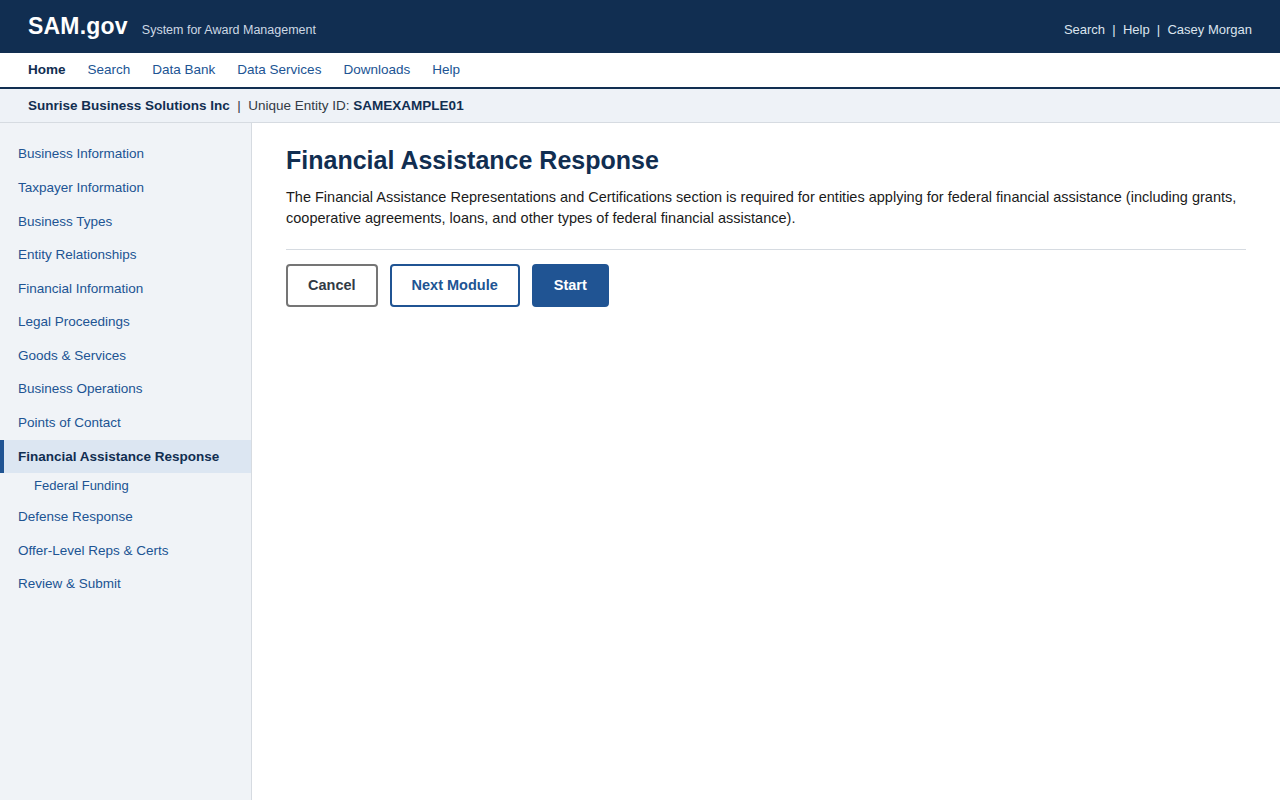
SAM.gov, Financial Assistance Response intro page
Intro text explaining that the section is required for entities applying for federal financial assistance.
When you do this step for real, this is the screen waiting for you on the site. Read it over, then use the practice screen below to learn the step by doing it safely first.
Practice the map. Check the box once you know which entities must complete this section.
Checkbox: check it when this is true
A quick check on this one screen. Answer every question correctly to mark this screen complete. You can move on with Next at any time, finished or not, but the screen only counts as complete once its practice and this check are both done. You can try again if you miss one.
Which entities must complete this section?
On the real section, one gateway question decides everything. If your entity applies for or receives federal financial assistance, the certifications appear; if not, one honest answer completes the section.
Screen 73: Federal Funding
This page carries the financial assistance representations. Federal law requires them from entities receiving federal funding, including transparency rules about executive compensation on subawards.
The gateway question decides what you see. Answer Yes, and the assistance representations and certifications display for you to read and certify.
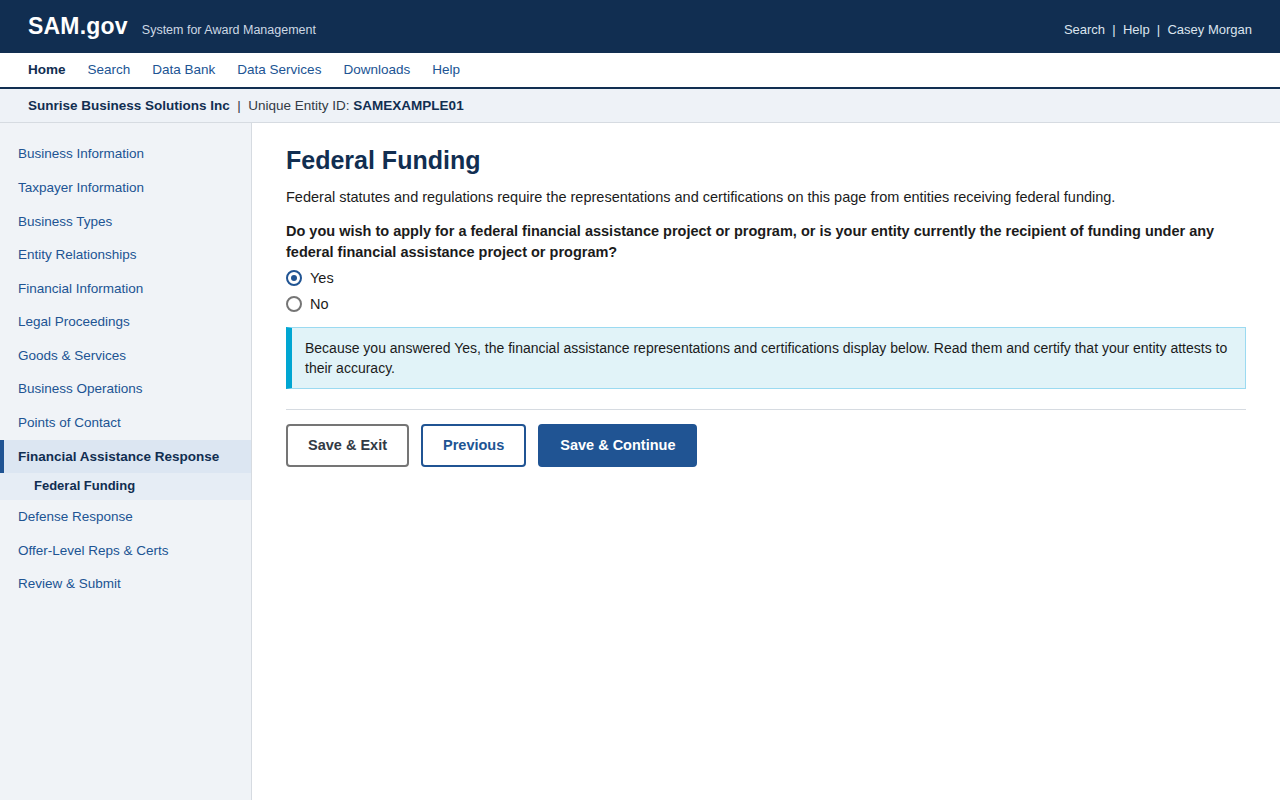
SAM.gov, Federal Funding page
The gateway question with the financial assistance representations and certifications behind a Yes answer, and the section completion confirmation after.
When you do this step for real, this is the screen waiting for you on the site. Read it over, then use the practice screen below to learn the step by doing it safely first.
“Do you wish to apply for a federal financial assistance project or program, or is your entity currently the recipient of funding under any federal financial assistance project or program? (yes or no)” If yes, the financial assistance representations and certifications will display. You must read and certify your entity attests to the accuracy of the representations and certifications listed.
The words above are the form text you will see, quoted from: Federal Service Desk (FSD) Entity Registration Checklist, Representations and Certifications, item 7, Financial Assistance Response. The teaching in this lesson is written in our own words.Practice for Sunrise. Sunrise is registering to bid on contracts. It is not applying for grants or loans, and it receives no federal financial assistance. Answer for Sunrise.
Pick one: Do you wish to apply for a federal financial assistance project or program, or is your entity currently the recipient of funding under any federal financial assistance project or program?
A quick check on this one screen. Answer every question correctly to mark this screen complete. You can move on with Next at any time, finished or not, but the screen only counts as complete once its practice and this check are both done. You can try again if you miss one.
What happens on this page if you answer Yes?
On the real page, answer for your real plans: wishing to apply for a grant or loan counts as Yes, and Yes opens the assistance certifications to read and certify. A company that neither applies nor receives assistance answers No.
Module complete Module Complete
Congratulations. You worked through every screen in this module, practiced each one with the example company, and passed the check on each screen.
Here is what you covered:
- Screen 72: Financial Assistance Response: Section intro
- Screen 73: Federal Funding
The financial assistance question is answered. Next, the Defense Response, the DFARS (Defense Federal Acquisition Regulation Supplement) section for companies that bid on or hold Defense Department contracts.
Pulse Academy | GovCon Mastery Tool. This lesson teaches the registration path. SAM.gov, Login.gov, and the Federal Service Desk are official government services; Pulse Academy is not part of any government agency, and no agency endorses this training.